Attendance Machine Sync

Biometric Attendance Device Integration

Connect your fingerprint, face or card attendance machine to SleetHR, so every punch flows into attendance, leave and payroll

  • Machine to payslip · No File Exports
app.getsleet.cloud/hrms/attendanceNK
Attendance · Today
Thu, 15 Oct 2026 · All branches
● Live
Present
231
Late
6
On leave
9
Absent
2
RPRakesh PatelMain Plant · Shift A08:52Face · GeofenceOn time
ISImran ShaikhField sales09:14GPS · MobileOn time
KJKavita JoshiUnit 2 · Shift A09:21Face · GeofenceLate 6m
SISneha IyerHead Office09:28Face · WebOn time
AMArjun MehtaMain Plant · Shift B—Leave · ApprovedOn leave

In short

Your attendance machine, connected to payroll.

SleetHR connects to the biometric attendance machine you already use, whether it reads a fingerprint, a face or an ID card. Punches come into SleetHR by themselves, are checked against each employee’s shift, and flow into leave and payroll. Nobody exports a file, and nobody types attendance into a salary sheet.

If a site has no machine, any Android phone with the Sleet app becomes a face attendance point, and field staff punch with a selfie and GPS. Every punch, from every source, lands in one attendance register.

01Attendance machineFinger, face or card02Automatic syncOver Wi-Fi or your network03SleetHR attendanceShifts, late marks, overtime04Leave and payrollPayable days and payslips01Attendance machineFinger, face or card02Automatic syncOver Wi-Fi or your network03SleetHR attendanceShifts, late marks, overtime04Leave and payrollPayable days and payslips
From a punch at the gate to the payslip: the machine sends the punch, SleetHR applies your rules, and payroll reads the result.

How it works

4 steps, start to finish.

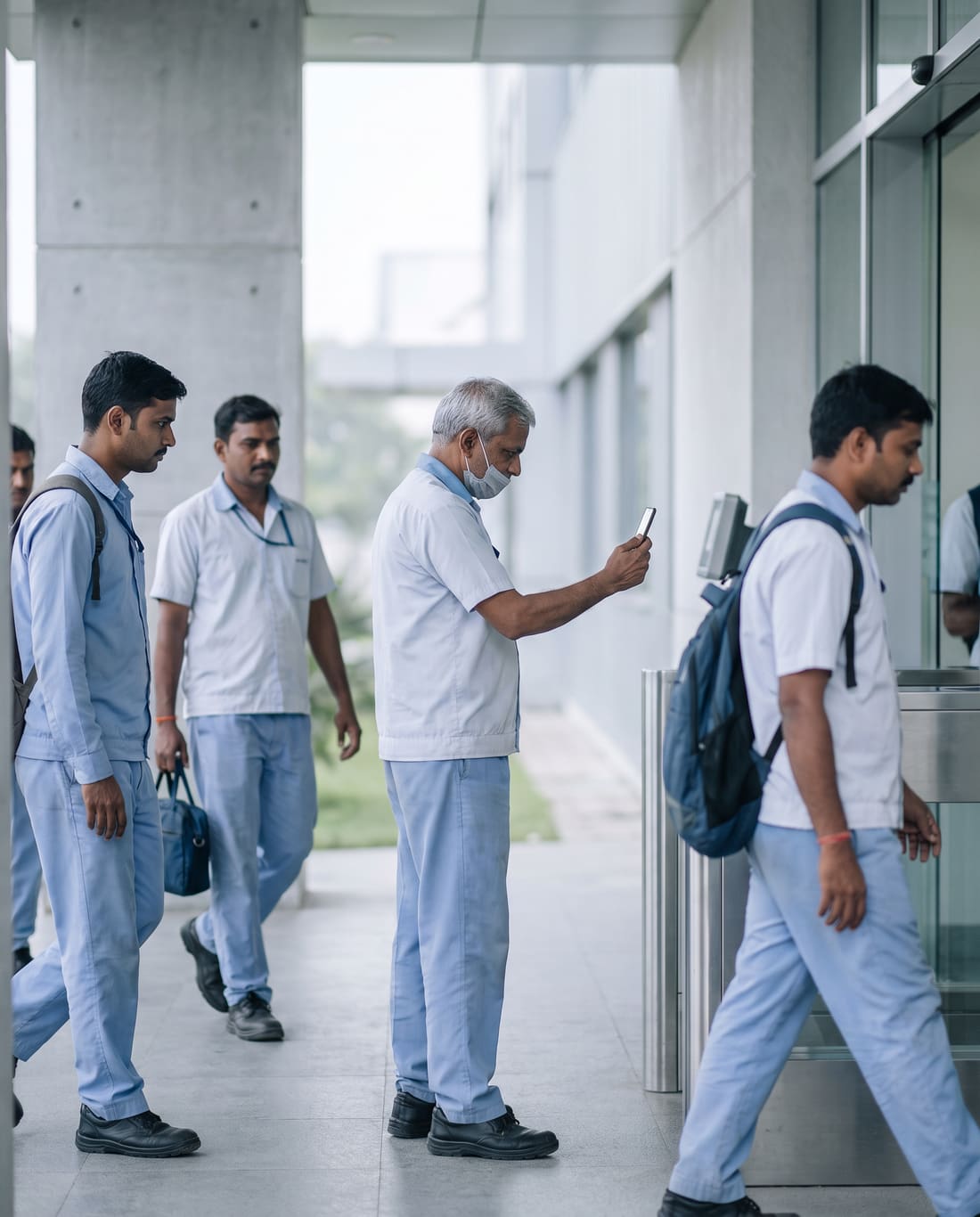
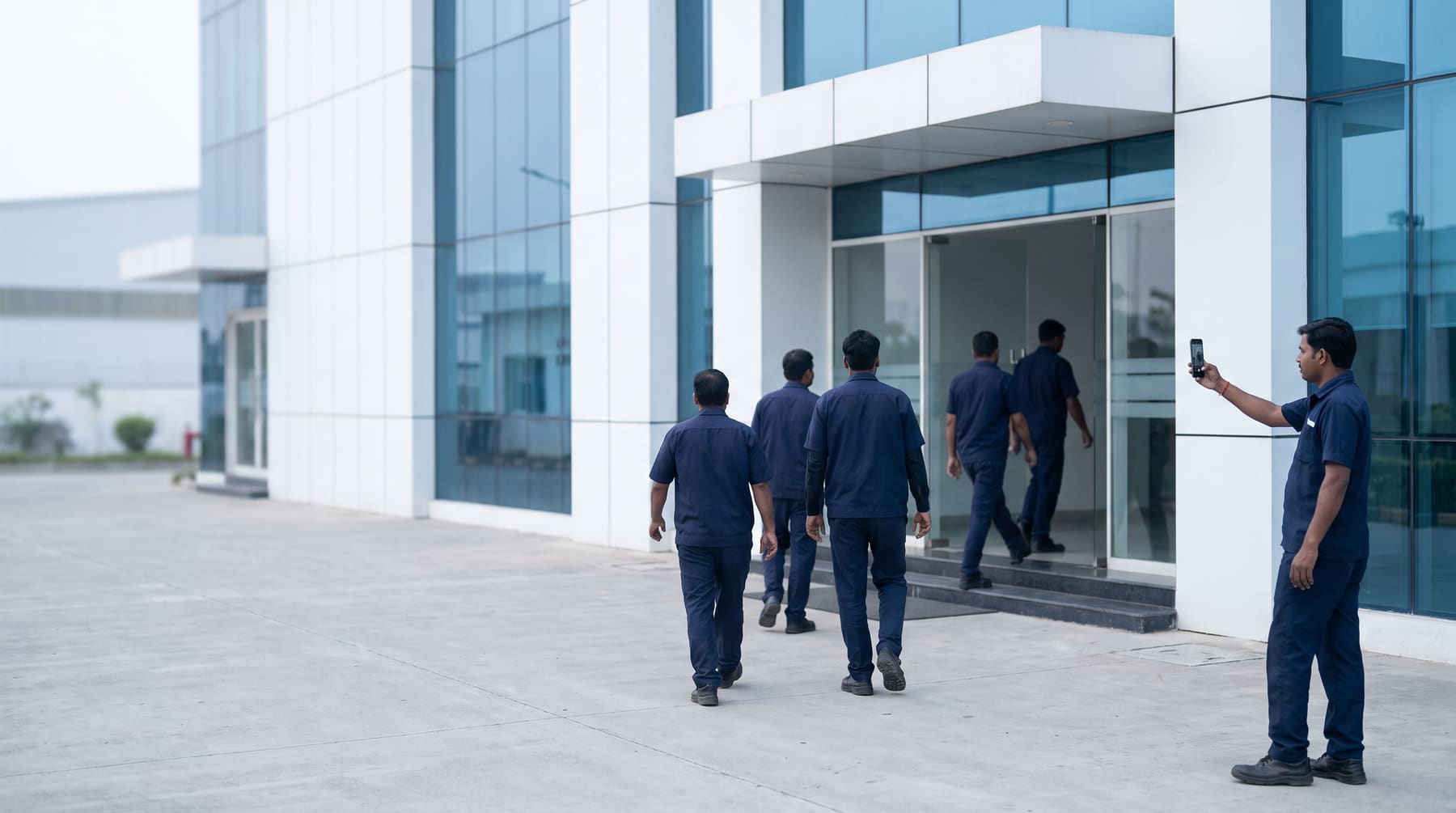
Factory staff arriving for a shift, one checking in on a phone
SleetHR

Machine to payslip

No File Exports

  • Step 1

    Punch at the Machine

    Employees punch in and out as they do today: finger, face or card on your attendance machine.

  • Step 2

    Punches Sync to SleetHR

    The connected machine sends its punches to SleetHR over the internet. Nobody exports or uploads a file.

  • Step 3

    Rules Applied

    Each punch is matched to the employee and their shift, and late marks, half-days and overtime are worked out.

  • Step 4

    Leave and Payroll

    Attendance meets approved leave and holidays, and the payroll run picks up payable days and overtime.

What it does

Inside Biometric Attendance Device Integration

Connect the fingerprint, face or card attendance machine you already have, so punches reach attendance, leave and payroll without a file export.

  • Your existing machine: Keep the fingerprint, face or card machine already on your wall. If it is on Wi-Fi or your network and can send its punches out, we connect it to SleetHR.
  • Automatic punch sync: Punches from a connected machine come into SleetHR by themselves, with nobody exporting a file.
  • Older machines: For a machine that cannot be connected, import the punch files it exports (Excel/CSV).
  • No machine at all: Put the Sleet app on any Android phone at the gate and switch it to face attendance mode, or let staff punch with a selfie and GPS on their own phones.
  • One register: Machine, gate phone and mobile app punches go into the same attendance register for each employee.
  • Shift rules: Fixed, flexible and night shifts, with grace minutes, late marks, half-day rules and paid or unpaid breaks.
  • Overtime and comp-off: Overtime rules are set in each attendance policy, and comp-off for holiday work is credited automatically.
  • Missed-punch regularization: Employees raise a request in the app, and the register changes only after the manager approves it.
  • Every branch: HR sees attendance for every branch and department on the web console and downloads the monthly attendance register.
  • Into leave and payroll: Approved leave, late marks, half-days and overtime flow into the payroll run with no re-entry.
Factory staff arriving for a shift, one checking in on a phone

What changes

What changes on day one.

What teams notice in the first weeks of Biometric Attendance Device Integration on SleetHR.

  • Nobody carries a pen drive to the machine or uploads an Excel file at month-end.
  • Punches from the machine, the gate phone and the mobile app land in one attendance register.
  • Late marks, half-days and overtime are worked out by the shift rules, not by hand.
  • A missed punch is fixed by a request in the app that the manager approves, not by a phone call to HR.
  • Payroll uses the same attendance record that employees and managers already see.
  • HR sees attendance for every branch on one web console.

Supported devices

Fingerprint, face, card or phone: all in one register.

Use one kind of device or mix them across sites. Tell us the make and model of a machine and we confirm it before you start.

  • Fingerprint machines

    The common machine at an office or factory gate. Once connected, each finger punch comes into SleetHR by itself.

  • Face recognition machines

    A touch-free machine at the entrance. Its punches come into the same attendance register.

  • Card and RFID machines

    Staff tap an ID card on the reader. The tap is read as a punch, like a finger or face punch.

  • An Android phone at the gate

    No machine? Put the Sleet app on any Android phone and switch it to face attendance mode. It works offline and syncs when the network returns.

    Face attendance →
  • The mobile app, for field staff

    Sales, site and remote staff punch with a selfie and GPS inside the area you allow. Punches outside it are blocked.

    Attendance and geo-tracking →
  • Older machines, by file

    A machine that cannot be connected still works: import the punch files it exports (Excel or CSV).

    Data import →

Branches and shifts

Many sites and many shifts, read the same way.

Head officeFingerprint machineFactoryFace or card machineBranchAndroid phone at the gateField staffSelfie and GPS in the appOne attendance registerEvery branch, in SleetHR

Several branches, one console

A machine at the head office, another at the factory, a phone at a small branch and the mobile app for field staff can all feed SleetHR. HR sees attendance for every branch and department on one web console and downloads the monthly attendance register.

Example dayShiftBreakPunchesWorked hoursOvertimeIn 9:06Out 19:309:0011:0013:0015:0017:0019:00Inside grace minutesFull day presentOvertime by your rule

Shifts, late marks and overtime

Punches are read against the employee’s shift: fixed, flexible or night, with grace minutes, half-day rules and paid or unpaid breaks. Overtime follows the rule in your attendance policy, and comp-off for holiday work is credited automatically. The times in the picture are an example.

What it replaces

The month-end attendance work that goes away.

Attendance work with a stand-alone machine compared with a machine connected to SleetHR
With a stand-alone machineWith the machine connected to SleetHR
Someone exports punches to a pen drive or Excel file and uploads themA connected machine sends its punches to SleetHR by itself
Late marks, half-days and overtime are worked out by hand at month-endShift and attendance rules work them out on every punch
Missed punches are fixed over phone calls and paper slipsThe employee asks in the app and the manager approves
Each branch keeps its own machine software and its own sheetHR sees every branch on one web console
Attendance is typed again into the salary sheetThe payroll run reads the attendance record directly

Setup

Six steps from the machine on your wall to the first payroll.

Our team does the connection with you. How long it takes depends on the machine and your network, so we confirm it once we know the make and model.

  1. 01

    Tell us what you have

    The make and model of each machine, how many there are, and whether they are on Wi-Fi or your office network. We confirm the connection before you start.

  2. 02

    Add your people

    Bring employees in through the import, with their branch, shift and reporting manager.

  3. 03

    Connect the machines

    We connect each machine so its punches come into SleetHR, and each person on the machine is matched to their employee record.

  4. 04

    Set shifts and rules

    Create shifts with grace minutes, half-day rules and breaks, and set overtime and weekly offs in the attendance policy.

  5. 05

    Check a few days

    Compare a few days of punches in SleetHR with what the machine shows, and bring in older punch files if you need the history.

  6. 06

    Run payroll

    Approve leave and missed-punch requests, then run payroll from the same attendance record.

Biometric data is personal data. Tell employees what is collected and why, and take their consent, before you enrol them on any device. This is general guidance, not legal advice.

Good to know

Plans, your data and moving across.

  • Plans and pricing

    Priced per user per year, billed yearly, with no setup fee.

    Compare plans
  • Your data stays yours

    Data is encrypted in transit and at rest on secure cloud infrastructure. You keep ownership. Admins can export or delete company data.

  • Moving from spreadsheets?

    Employee profiles, salary structures and leave balances come across, and we compare a payroll run against your current numbers before you switch.

    Book a migration call

Questions

Biometric Attendance Device Integration, answered.

Something else? Message us on WhatsApp at +91 82001 72869 or write to sales@getsleet.cloud.

Can SleetHR connect to the biometric attendance machine we already have?

Yes. SleetHR connects with attendance machines that are on Wi-Fi or your network and can send their punches out, so punches come in by themselves. Tell us the make and model and we will confirm it before you start. For an older machine that cannot be connected, import the punch files it exports (Excel/CSV).

Which types of attendance device does it work with?

Fingerprint machines, face recognition machines and card (RFID) machines, as long as the machine can be connected. If you have no machine, any Android phone with the Sleet app works as a face attendance point at the gate, and staff can punch with a selfie and GPS on their own phones.

Do we have to buy a new machine or a particular brand?

No. The aim is to keep the machine you already have. We check your make and model first. If it cannot be connected, you can import its punch files, or use an Android phone at the gate for face attendance, with no machine to buy. Face attendance on Android phones →

How do punches reach payroll?

Each punch goes into the attendance register. Shift rules mark late arrivals, half-days and overtime. Approved leave and holidays are applied. The payroll run then uses that record for payable days and overtime, with no manual entry. Payroll and statutory →

What happens when an employee forgets to punch out?

The employee raises a missed-punch regularization request in the mobile app. It goes to the manager, and the attendance register is updated only after the manager approves it.

We have machines at several branches. Can they all feed one system?

Yes. HR sees attendance for every branch and department on one web console and can download the monthly attendance register. A branch without a machine can use an Android phone at the gate or the mobile app, and its punches go into the same register.

Does it handle night shifts and overtime?

Yes. A shift that ends after midnight is treated as a night shift. Grace minutes and half-day rules are set on each shift, and overtime rules in each attendance policy. Any employee can also have their own rules from a date you pick. Attendance and geo-tracking →

What about field staff who never come near the machine?

They punch in the Sleet app with a selfie and GPS, inside the location you allow. Those punches sit in the same attendance register as the machine punches.

How long does setup take and what does it cost?

Setup depends on your machine and how it is connected, so we confirm it after we know the make and model. Plans are on the pricing page, and there is a 14-day free trial. See pricing →
See Biometric Attendance Device Integration on your own data.

A free demo over Google Meet, with your questions answered on the call.