
GPS & Face Attendance
Attendance & Geo-Tracking
Shift and attendance management for field forces and office teams
- GPS & Face · Verified Clock-Ins
How it works
3 steps, start to finish.

 SleetHR
GPS & Face
Verified Clock-Ins
- Step 1
Location Ping
Employee taps clock-in on mobile; GPS coordinate & selfie are captured instantly.
- Step 2
Geo-Fence Check
The location is checked against the branch radius, and punches outside it are blocked.
- Step 3
Payroll Sync
Working hours, late marks and half-days feed into the payroll run with no manual entry.
What it does
Inside Attendance & Geo-Tracking
Clock-ins checked against a geo-fence, with shifts, overtime rules and field staff tracking.
- Geo-fencing: Set a radius in metres around each branch; punches outside it are blocked. Field visits (out-duty) can have their own location and radius.
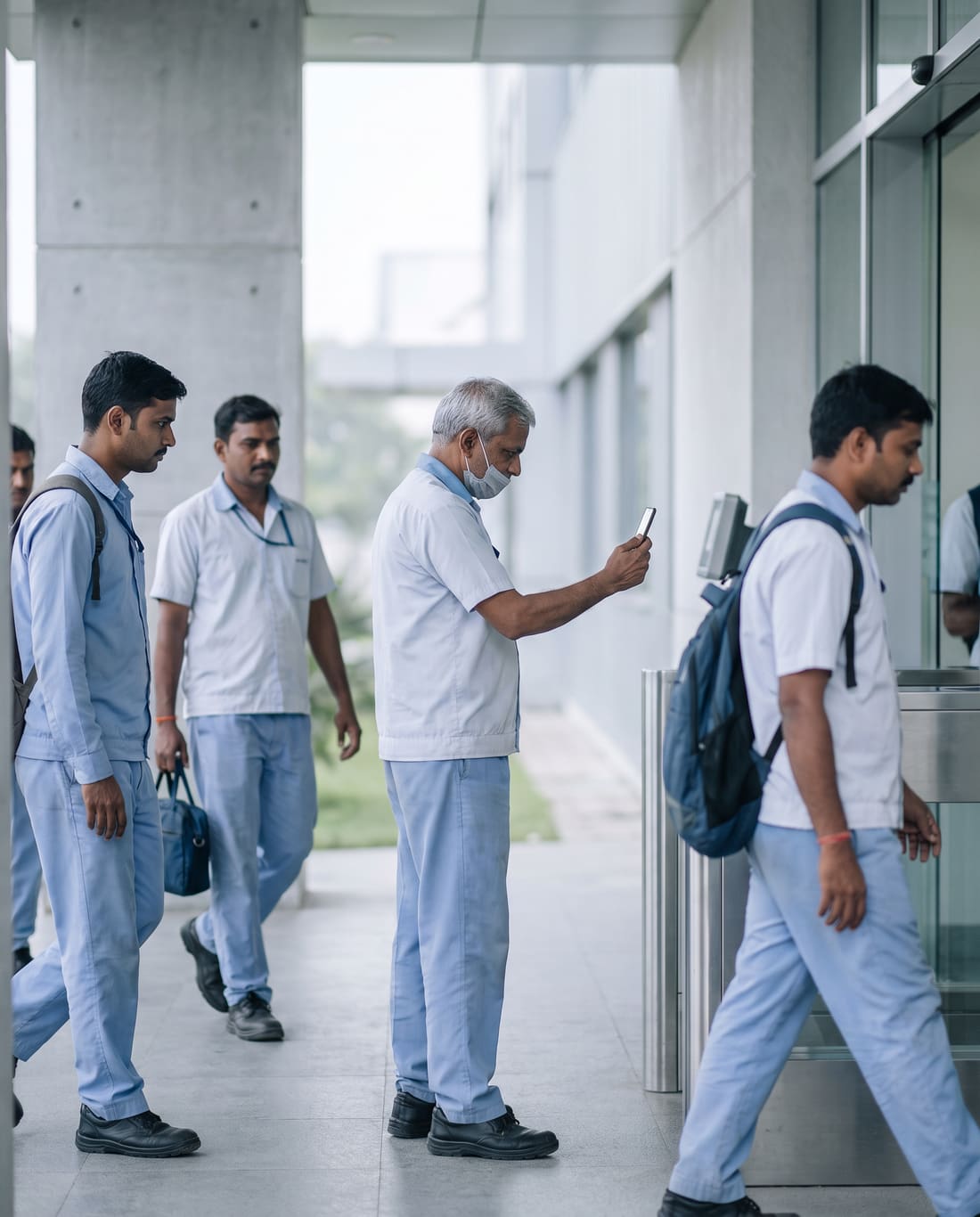
- Face attendance on Android phones: Put the Sleet app on any Android phone at the gate and staff punch in by looking at the camera, with no biometric machine to buy.
- Every kind of shift: Fixed, flexible and night shifts, with paid and unpaid breaks, grace minutes and half-day rules.
- Monthly shift roster: Plan a whole month of shifts in one grid, assign in bulk, then copy it to the next month. Give one employee a different shift on different weekdays, or pin a shift to specific dates.
- Rules per employee: Give any employee their own attendance rules, punch method (face, selfie, GPS, selfie plus GPS or auto present), punch location and radius, overtime and comp-off rules, and weekly offs such as 2nd and 4th Saturday. They stay as set when you change the company template.
- Changes from any date: Change an employee’s rules from the date you pick, with a full history of what applied when.
- Offline clock-in mode: Captures GPS timestamps and selfie proof even in zero-connectivity areas; syncs automatically upon reconnection.
- Out-duty and field visits: Plan field visits with their own location and radius, send them for approval, and have them approved or rejected automatically if the manager does not act in time.
- Live field tracking: See field staff live on a map and replay each day’s route, for staff with tracking turned on.
- Missed-punch regularization: Employees raise a regularization request in the app and the manager approves it.
- Your existing machine: Attendance machines on Wi-Fi or your network with an API are connected so punches come in by themselves. From older machines, import the punch files they export (Excel/CSV).
What changes
What changes on day one.
What teams notice in the first weeks of Attendance & Geo-Tracking on SleetHR.
- A selfie and GPS location on each punch make buddy-punching hard.
- Field and site staff check in from any approved location, not just head office.
- Payroll pulls accurate hours automatically — no manual attendance reconciliation.
- Managers see field staff live on a map and can replay each day’s route.
- Keeps working even in low-network warehouses, syncing the moment signal returns.
- Fewer attendance disputes, because each punch has a photo and GPS location.
Good to know
Plans, your data and moving across.
Plans and pricing
Priced per user per year, billed yearly, with no setup fee.
Compare plansYour data stays yours
Data is encrypted in transit and at rest on secure cloud infrastructure. You keep ownership. Admins can export or delete company data.
Moving from spreadsheets?
Employee profiles, salary structures and leave balances come across, and we compare a payroll run against your current numbers before you switch.
Book a migration call
Questions
Attendance & Geo-Tracking, answered.
Something else? Message us on WhatsApp at +91 82001 72869 or write to sales@getsleet.cloud.
Can field sales staff check in from multiple client locations?
Yes. Plan field visits (out-duty) with their own location and radius for each client site. For staff with tracking turned on, managers see them live on a map and can replay each day’s route.
How are overtime and grace minutes configured?
Grace minutes and half-day rules are set on each shift, and overtime rules in each attendance policy. Any employee can also have their own rules, starting from a date you pick.
Can different employees follow different rules?
Yes. Each employee can have their own attendance rules, punch method, punch location and radius, shift for each weekday, weekly offs, and PF, ESI, PT, LWF and overtime settings. Their own rules stay as set when you change the company template.
What do we need for face attendance at the gate?
Just an Android phone with the Sleet app. It can be switched to face attendance mode at the gate. If you already have an attendance machine on Wi-Fi with an API, we connect it to SleetHR; from an older machine, import the punch files it exports (Excel/CSV).
Can the system handle night shifts and monthly rosters?
Yes. A shift that ends after midnight is treated as a night shift. Plan the month in the roster grid, assign shifts in bulk, and copy the month forward. Comp-off for holiday work is credited automatically.
Does attendance data sync directly into payroll calculations?
Absolutely. Every approved attendance record — including late marks, half-days, extra hours, and overtime — flows straight into payroll with zero manual reconciliation.
Can employees regularize missed punches themselves?
Yes. Employees can raise a missed-punch regularization request from the mobile app. It routes to the manager for approval and updates the attendance register only after sign-off.
Is there a web dashboard for HR to monitor attendance reports across all branches?
Yes. HR sees attendance for every branch and department on the web console, and can download the monthly attendance register.
SleetHR
More in HRMS
Attendance & Geo-Tracking is one part of SleetHR. Open any module to see what it does.
See Attendance & Geo-Tracking on your own data.
A free demo over Google Meet, with your questions answered on the call.
Explore more